
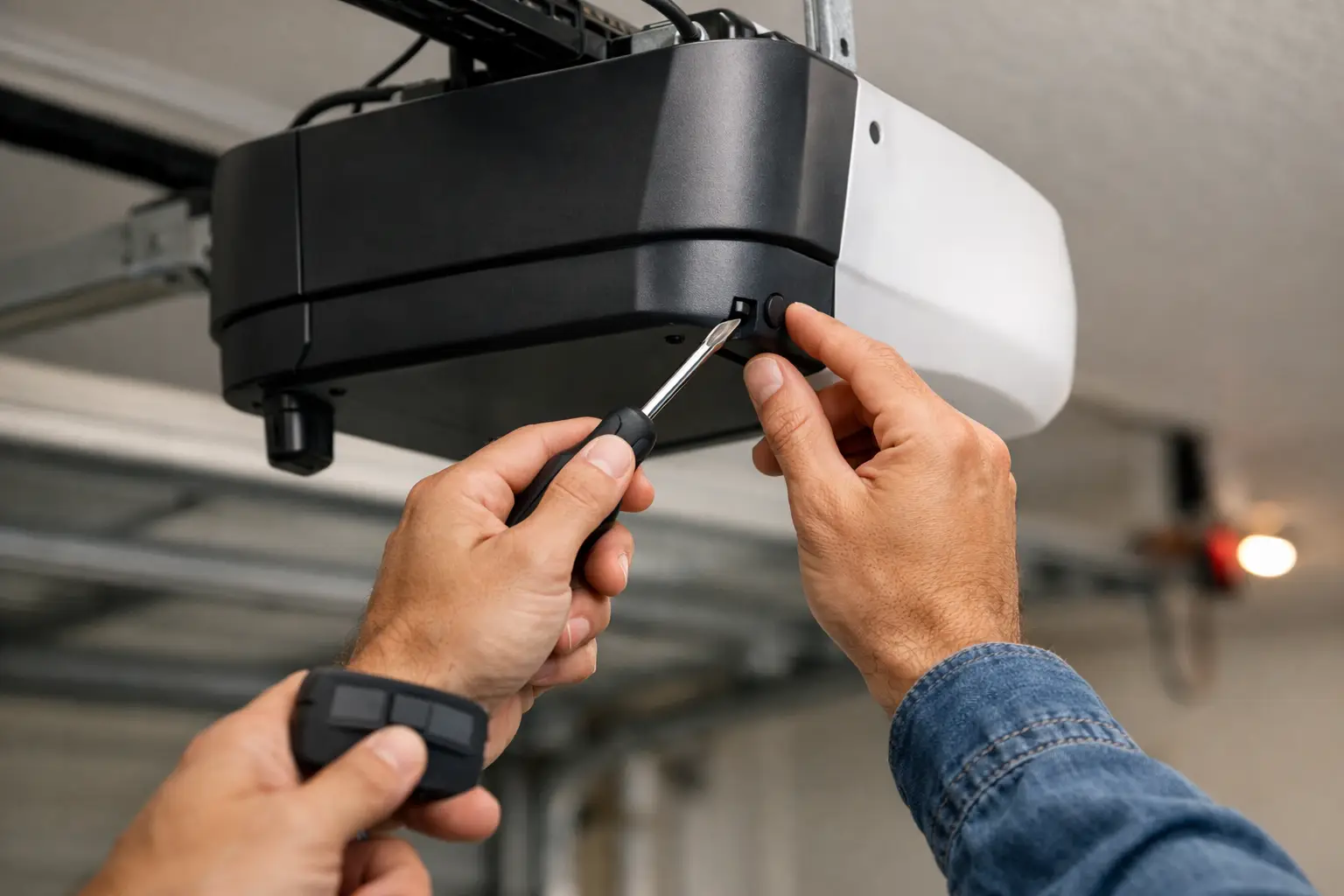
A garage door that suddenly will not open can throw off your whole morning. Before assuming the opener has failed, learning how to reset a garage opener can solve common issues with remotes, power interruptions, and lost programming. The key is resetting the right part of the system without changing settings that are not causing the problem.
Not every garage door issue is an opener issue. If the motor runs but the door does not move, the problem could be a broken spring, stripped gear, damaged trolley, or a door that is too heavy to lift. Resetting the opener will not repair those parts. Start with the simple checks, keep clear of moving components, and call for garage door repair in Longmont when the door is unsafe, stuck, or unusually heavy.
First, Identify What Needs Resetting
Homeowners often use the word "reset" to mean several different things. Your remote may have stopped working after a dead battery. The opener may need a power cycle after an outage. Or you may need to erase old remote codes after moving into a home or losing a remote.
Those are different jobs. A full factory-style reset can remove every programmed remote, keypad, and smart-home connection. That may be the right choice after a security concern, but it creates more work if you only need to reconnect one remote.
Before touching the opener, check the basics. Make sure the opener is plugged into a working outlet and the breaker has not tripped. Replace the remote battery if the indicator light is weak or does not light up. Check that the garage door is not manually locked and that the photo-eye sensors near the bottom of the tracks are clean, aligned, and showing their normal indicator lights.
If the wall button works but the remote does not, focus on the remote programming. If neither works and the opener has no lights or sound, start with power. If the opener hums, clicks, or runs while the door stays put, stop trying to reset it and inspect the door from a safe distance.
How to Reset a Garage Opener After a Power Problem
A basic power reset is the least invasive option. It can clear a temporary electronic glitch without deleting remote codes or changing travel settings.
Unplug the garage door opener from the ceiling outlet. If your opener is hardwired, turn off the correct breaker instead. Leave it off for at least 60 seconds, then restore power and wait for the unit to finish its startup cycle.
Test the wall button first. If the door operates normally, test each remote and keypad. One remote that still does not work may need a fresh battery or reprogramming, while a door that will not respond to anything may have a larger issue.
Do not repeatedly unplug and reconnect the unit in quick succession. That does not improve the reset and can make troubleshooting harder. Give the opener time to restart between tests.
Check the Emergency Release Position
The red emergency-release cord disconnects the door from the opener trolley so the door can be operated by hand during an outage. If someone pulled that cord, the opener motor may run while the door remains still.
With the garage door fully closed, pull the emergency release cord toward the opener as directed by the manufacturer, then run the opener. Many systems reconnect automatically when the trolley reaches the release mechanism. Do not force the door or climb a ladder to pull on the rail. If the trolley will not re-engage or the door feels heavy, get professional help.
Resetting a Remote or Keypad
Most modern openers use a Learn, Program, or Smart button on the motor unit. Its location varies by brand, but it is commonly behind the light cover, under the rear panel, or near the antenna wire. You may need a sturdy step ladder to reach it safely.
For a single remote, press and release the Learn button. An LED near the button should light or blink for about 30 seconds. While it is active, press and hold the button on the remote you want to use. The opener lights may flash, or you may hear a click, confirming the remote has been programmed.
Keypads follow a similar process, but the exact button sequence and PIN entry depend on the model. Use the instructions printed on the keypad, inside the opener cover, or in the manufacturer manual when available. Guessing at keypad sequences can accidentally lock the unit out or erase a working code.
If programming fails, stand within a few feet of the opener and try again. Make sure you are pressing the correct remote button and that the remote battery is new. LED bulbs in or near the opener can sometimes interfere with remote signals, especially on older systems. If the remote only works when you are inside the garage, interference or a weak receiver may be the real issue.
Erasing Old Codes From the Opener
A full code reset is useful when you move into a house, lose a remote, have a tenant change, or suspect an old remote could still open your garage. It is also a reasonable security step after buying a used vehicle with an unknown garage remote.
On many openers, press and hold the Learn button for roughly six to 10 seconds until its LED turns off. This typically erases all stored remotes and keypads. Some models use a different process, so confirm the procedure for your manufacturer before you start.
Once old codes are erased, reprogram every remote, keypad, vehicle control, and smart-home accessory you plan to use. Test them one at a time. It is easy to forget a spare remote kept in a second car or an exterior keypad used by family members.
A full reset is not always necessary. If one remote is missing but you still have several working devices, erasing everything does improve security, but it also means rebuilding the whole setup. For many Longmont homeowners, that trade-off is worth it after a lost remote. For a simple battery failure, it is not.
When Travel Limits Need to Be Reset
Travel limits tell the opener where the fully open and fully closed positions are. When those settings are off, the garage door may stop short, reverse before closing, hit the floor and reopen, or leave a gap at the bottom.
Many newer openers use up and down adjustment buttons on the motor unit. You enter programming mode, move the door to the desired open position, save it, then repeat for the closed position. Older units may use small adjustment screws marked Up and Down, or Open and Close.
This is where homeowners should slow down. A travel-limit adjustment that is too low can make the opener push hard against the floor. One that is too high can leave the door unsecured. The safety reversal system must also be tested after any adjustment.
Place a flat 2-by-4 board on the floor under the center of the door. Close the door using the opener. It should reverse when it contacts the board. If it does not reverse, stop using the automatic opener until the force settings, sensors, or door balance can be checked.
Do Not Reset Around These Warning Signs
Resetting controls is reasonable when the door itself is moving properly. It is not a fix for a mechanical failure. Stop and arrange service if you see a loose cable, bent track, damaged rollers, a broken spring, or a door that hangs unevenly.
Never adjust, remove, or wind garage door springs yourself. Springs are under extreme tension and can cause serious injury. The same goes for cables that have come off their drums. Keep people and vehicles away from the door, especially if it is stuck open or partially open.
A door that is noisy, jerky, or slow may still open today, but that does not mean it is safe. The opener is designed to move a balanced door, not drag a failing one. Continued use can burn out the opener or turn a straightforward repair into a more expensive replacement.
Get the Right Fix for the Actual Problem
A reset is a good first move after a power outage, dead remote battery, or lost programming. But when the opener runs and the door will not move, or the door reverses, shakes, or feels heavy by hand, the system needs a proper diagnosis.
Repair Bro's provides local garage door repair in Longmont with free estimates, so you can get a clear answer before committing to a repair. If your reset does not restore safe, reliable operation, leave the door closed if possible and have a garage door specialist check the opener, springs, cables, sensors, and balance. A fast repair is useful, but the right repair is what gets your garage secure and working again.